

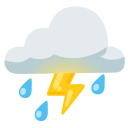
أيقونة Cloud With Lightning And Rain
fluent-emoji:cloud-with-lightning-and-rain
أيقونة Cloud With Lightning And Rain (fluent-emoji:cloud-with-lightning-and-rain) أيقونة SVG مجانية من مجموعة Fluent Emoji من تصميم Microsoft Corporation. مرسومة على شبكة 32 × 32. تُنشر Fluent Emoji icons بموجب ترخيص MIT، الذي يسمح باستخدامها في المشاريع الشخصية والتجارية. انسخها كشيفرة SVG أو JSX أو Vue أو Svelte، أو نزّل ملف SVG.
- المجموعة
- Fluent Emoji
- المؤلف
- Microsoft Corporation
- الترخيص
- MIT
- الحجم
- 32 × 32
- الوسوم
- cloudwith، withlightning، lightningand، andrain، cloudwithlightningandrain
شيفرة SVG
<svg xmlns="http://www.w3.org/2000/svg" width="32" height="32" viewBox="0 0 32 32"><g fill="none"><g filter="url(#iVlgNcd)"><path fill="#535DFF" d="m7.467 23.473l-2.31 3.16c-.57.78-1.66.95-2.44.38s-.95-1.66-.38-2.44l2.31-3.16c.57-.78 1.66-.95 2.44-.38s.95 1.66.38 2.44"/><path fill="url(#iNYpK4A)" d="m7.467 23.473l-2.31 3.16c-.57.78-1.66.95-2.44.38s-.95-1.66-.38-2.44l2.31-3.16c.57-.78 1.66-.95 2.44-.38s.95 1.66.38 2.44"/></g><g filter="url(#iMSKP0b)"><path fill="#535DFF" d="m12.467 26.123l-2.31 3.16c-.57.78-1.66.95-2.44.38s-.95-1.66-.38-2.44l2.31-3.16c.57-.78 1.66-.95 2.44-.38c.78.56.95 1.66.38 2.44"/><path fill="url(#irdRKzd)" d="m12.467 26.123l-2.31 3.16c-.57.78-1.66.95-2.44.38s-.95-1.66-.38-2.44l2.31-3.16c.57-.78 1.66-.95 2.44-.38c.78.56.95 1.66.38 2.44"/></g><g filter="url(#iVfCAoG)"><path fill="#535DFF" d="m23.567 23.473l-2.31 3.16c-.57.78-1.66.95-2.44.38s-.95-1.66-.38-2.44l2.31-3.16c.57-.78 1.66-.95 2.44-.38s.95 1.66.38 2.44"/><path fill="url(#iVV1nqe)" d="m23.567 23.473l-2.31 3.16c-.57.78-1.66.95-2.44.38s-.95-1.66-.38-2.44l2.31-3.16c.57-.78 1.66-.95 2.44-.38s.95 1.66.38 2.44"/></g><g filter="url(#iUFbwbd)"><path fill="#535DFF" d="m28.567 26.123l-2.31 3.16c-.57.78-1.66.95-2.44.38s-.95-1.66-.38-2.44l2.31-3.16c.57-.78 1.66-.95 2.44-.38c.78.56.95 1.66.38 2.44"/><path fill="url(#iaR154d)" d="m28.567 26.123l-2.31 3.16c-.57.78-1.66.95-2.44.38s-.95-1.66-.38-2.44l2.31-3.16c.57-.78 1.66-.95 2.44-.38c.78.56.95 1.66.38 2.44"/></g><path fill="url(#iPueAEb)" d="M12.457 12.003a3.5 3.5 0 1 0 0-7a3.5 3.5 0 0 0 0 7"/><g filter="url(#isMGCXd)"><path fill="#3124C5" d="M29.957 10.994c0 4.976-4.03 9.009-9 9.009H8.561c-3.648 0-6.604-3.072-6.604-6.506s2.897-6.432 6.545-6.432c.733 0 1.822.266 2.723.614c.67.258 1.57-.064 1.89-.706c1.386-2.773 4.27-4.846 7.868-4.846c4.97 0 8.974 3.892 8.974 8.867"/><path fill="url(#i1aaBXc)" d="M29.957 10.994c0 4.976-4.03 9.009-9 9.009H8.561c-3.648 0-6.604-3.072-6.604-6.506s2.897-6.432 6.545-6.432c.733 0 1.822.266 2.723.614c.67.258 1.57-.064 1.89-.706c1.386-2.773 4.27-4.846 7.868-4.846c4.97 0 8.974 3.892 8.974 8.867"/><path fill="url(#iPCZgIb)" d="M29.957 10.994c0 4.976-4.03 9.009-9 9.009H8.561c-3.648 0-6.604-3.072-6.604-6.506s2.897-6.432 6.545-6.432c.733 0 1.822.266 2.723.614c.67.258 1.57-.064 1.89-.706c1.386-2.773 4.27-4.846 7.868-4.846c4.97 0 8.974 3.892 8.974 8.867"/></g><path fill="url(#ixCddOE)" d="M30 10.994c0 4.976-4.03 9.009-9 9.009H8.604C4.956 20.003 2 16.93 2 13.497s2.897-6.432 6.545-6.432c.733 0 1.822.266 2.723.614c.67.258 1.57-.064 1.89-.706c1.386-2.773 4.27-4.846 7.867-4.846c4.971 0 8.975 3.892 8.975 8.867"/><path fill="url(#i423m7d)" d="M30 10.994c0 4.976-4.03 9.009-9 9.009H8.604C4.956 20.003 2 16.93 2 13.497s2.897-6.432 6.545-6.432c.733 0 1.822.266 2.723.614c.67.258 1.57-.064 1.89-.706c1.386-2.773 4.27-4.846 7.867-4.846c4.971 0 8.975 3.892 8.975 8.867"/><g filter="url(#iBe01kb)"><path fill="url(#iy3SZGe)" d="m19.542 19.625l-4.852 7.279a.4.4 0 0 1-.733-.222v-5.28a.4.4 0 0 0-.4-.4h-.878a.4.4 0 0 1-.34-.611l3.879-6.205c.213-.341.739-.19.739.212v4.205c0 .22.18.4.4.4h1.853a.4.4 0 0 1 .332.622"/></g><g filter="url(#ijgY8QX)"><path stroke="url(#i1JxWUb)" stroke-linecap="round" stroke-width=".5" d="M11.957 9.113c.597.694 1.801 2.663 1.84 4.987"/></g><defs><radialGradient id="iNYpK4A" cx="0" cy="0" r="1" gradientTransform="rotate(145.744 .551 12.076)scale(2.34511 2.04556)" gradientUnits="userSpaceOnUse"><stop stop-color="#627AFE"/><stop offset="1" stop-color="#627AFE" stop-opacity="0"/></radialGradient><radialGradient id="irdRKzd" cx="0" cy="0" r="1" gradientTransform="rotate(145.744 2.643 14.172)scale(2.34511 2.04556)" gradientUnits="userSpaceOnUse"><stop stop-color="#627AFE"/><stop offset="1" stop-color="#627AFE" stop-opacity="0"/></radialGradient><radialGradient id="iVV1nqe" cx="0" cy="0" r="1" gradientTransform="rotate(145.744 8.601 14.557)scale(2.34511 2.04556)" gradientUnits="userSpaceOnUse"><stop stop-color="#627AFE"/><stop offset="1" stop-color="#627AFE" stop-opacity="0"/></radialGradient><radialGradient id="iaR154d" cx="0" cy="0" r="1" gradientTransform="rotate(145.744 10.693 16.653)scale(2.34511 2.04556)" gradientUnits="userSpaceOnUse"><stop stop-color="#627AFE"/><stop offset="1" stop-color="#627AFE" stop-opacity="0"/></radialGradient><radialGradient id="iPueAEb" cx="0" cy="0" r="1" gradientTransform="matrix(-3.07567 2.53665 -2.1672 -2.6277 13.437 5.75)" gradientUnits="userSpaceOnUse"><stop stop-color="#4C42D7"/><stop offset="1" stop-color="#35209B"/></radialGradient><radialGradient id="i1aaBXc" cx="0" cy="0" r="1" gradientTransform="matrix(-4.79375 6.77898 -4.2607 -3.01295 14.318 19.572)" gradientUnits="userSpaceOnUse"><stop offset=".303" stop-color="#381B90"/><stop offset="1" stop-color="#381B90" stop-opacity="0"/></radialGradient><radialGradient id="iPCZgIb" cx="0" cy="0" r="1" gradientTransform="matrix(-3.97516 4.1976 -3.96355 -3.75352 9.819 11.065)" gradientUnits="userSpaceOnUse"><stop stop-color="#574ADF"/><stop offset="1" stop-color="#574ADF" stop-opacity="0"/></radialGradient><radialGradient id="ixCddOE" cx="0" cy="0" r="1" gradientTransform="rotate(142.503 11.128 7.751)scale(10.9332 11.9987)" gradientUnits="userSpaceOnUse"><stop offset=".142" stop-color="#6051FF"/><stop offset="1" stop-color="#6051FF" stop-opacity="0"/></radialGradient><radialGradient id="i423m7d" cx="0" cy="0" r="1" gradientTransform="rotate(170.656 10 6.018)scale(19.0964 16.315)" gradientUnits="userSpaceOnUse"><stop offset=".799" stop-color="#35209A" stop-opacity="0"/><stop offset="1" stop-color="#35209A"/></radialGradient><filter id="iVlgNcd" width="6.404" height="6.754" x="2" y="20.596" color-interpolation-filters="sRGB" filterUnits="userSpaceOnUse"><feFlood flood-opacity="0" result="BackgroundImageFix"/><feBlend in="SourceGraphic" in2="BackgroundImageFix" result="shape"/><feColorMatrix in="SourceAlpha" result="hardAlpha" values="0 0 0 0 0 0 0 0 0 0 0 0 0 0 0 0 0 0 127 0"/><feOffset dx=".6" dy="-.1"/><feGaussianBlur stdDeviation=".75"/><feComposite in2="hardAlpha" k2="-1" k3="1" operator="arithmetic"/><feColorMatrix values="0 0 0 0 0.256493 0 0 0 0 0.282719 0 0 0 0 0.741667 0 0 0 1 0"/><feBlend in2="shape" result="effect1_innerShadow_18_15029"/></filter><filter id="iMSKP0b" width="6.404" height="6.754" x="7" y="23.246" color-interpolation-filters="sRGB" filterUnits="userSpaceOnUse"><feFlood flood-opacity="0" result="BackgroundImageFix"/><feBlend in="SourceGraphic" in2="BackgroundImageFix" result="shape"/><feColorMatrix in="SourceAlpha" result="hardAlpha" values="0 0 0 0 0 0 0 0 0 0 0 0 0 0 0 0 0 0 127 0"/><feOffset dx=".6" dy="-.1"/><feGaussianBlur stdDeviation=".75"/><feComposite in2="hardAlpha" k2="-1" k3="1" operator="arithmetic"/><feColorMatrix values="0 0 0 0 0.256493 0 0 0 0 0.282719 0 0 0 0 0.741667 0 0 0 1 0"/><feBlend in2="shape" result="effect1_innerShadow_18_15029"/></filter><filter id="iVfCAoG" width="6.404" height="6.754" x="18.1" y="20.596" color-interpolation-filters="sRGB" filterUnits="userSpaceOnUse"><feFlood flood-opacity="0" result="BackgroundImageFix"/><feBlend in="SourceGraphic" in2="BackgroundImageFix" result="shape"/><feColorMatrix in="SourceAlpha" result="hardAlpha" values="0 0 0 0 0 0 0 0 0 0 0 0 0 0 0 0 0 0 127 0"/><feOffset dx=".6" dy="-.1"/><feGaussianBlur stdDeviation=".75"/><feComposite in2="hardAlpha" k2="-1" k3="1" operator="arithmetic"/><feColorMatrix values="0 0 0 0 0.256493 0 0 0 0 0.282719 0 0 0 0 0.741667 0 0 0 1 0"/><feBlend in2="shape" result="effect1_innerShadow_18_15029"/></filter><filter id="iUFbwbd" width="6.404" height="6.754" x="23.1" y="23.246" color-interpolation-filters="sRGB" filterUnits="userSpaceOnUse"><feFlood flood-opacity="0" result="BackgroundImageFix"/><feBlend in="SourceGraphic" in2="BackgroundImageFix" result="shape"/><feColorMatrix in="SourceAlpha" result="hardAlpha" values="0 0 0 0 0 0 0 0 0 0 0 0 0 0 0 0 0 0 127 0"/><feOffset dx=".6" dy="-.1"/><feGaussianBlur stdDeviation=".75"/><feComposite in2="hardAlpha" k2="-1" k3="1" operator="arithmetic"/><feColorMatrix values="0 0 0 0 0.256493 0 0 0 0 0.282719 0 0 0 0 0.741667 0 0 0 1 0"/><feBlend in2="shape" result="effect1_innerShadow_18_15029"/></filter><filter id="isMGCXd" width="29" height="19.876" x="1.957" y=".127" color-interpolation-filters="sRGB" filterUnits="userSpaceOnUse"><feFlood flood-opacity="0" result="BackgroundImageFix"/><feBlend in="SourceGraphic" in2="BackgroundImageFix" result="shape"/><feColorMatrix in="SourceAlpha" result="hardAlpha" values="0 0 0 0 0 0 0 0 0 0 0 0 0 0 0 0 0 0 127 0"/><feOffset dx="1" dy="-2"/><feGaussianBlur stdDeviation="1"/><feComposite in2="hardAlpha" k2="-1" k3="1" operator="arithmetic"/><feColorMatrix values="0 0 0 0 0.207843 0 0 0 0 0.12549 0 0 0 0 0.596078 0 0 0 1 0"/><feBlend in2="shape" result="effect1_innerShadow_18_15029"/></filter><filter id="iBe01kb" width="7.832" height="13.586" x="12.278" y="13.497" color-interpolation-filters="sRGB" filterUnits="userSpaceOnUse"><feFlood flood-opacity="0" result="BackgroundImageFix"/><feBlend in="SourceGraphic" in2="BackgroundImageFix" result="shape"/><feColorMatrix in="SourceAlpha" result="hardAlpha" values="0 0 0 0 0 0 0 0 0 0 0 0 0 0 0 0 0 0 127 0"/><feOffset dx=".5" dy="-.5"/><feGaussianBlur stdDeviation=".25"/><feComposite in2="hardAlpha" k2="-1" k3="1" operator="arithmetic"/><feColorMatrix values="0 0 0 0 0.908333 0 0 0 0 0.312137 0 0 0 0 0.0454167 0 0 0 0.5 0"/><feBlend in2="shape" result="effect1_innerShadow_18_15029"/></filter><filter id="ijgY8QX" width="4.34" height="7.487" x="10.707" y="7.863" color-interpolation-filters="sRGB" filterUnits="userSpaceOnUse"><feFlood flood-opacity="0" result="BackgroundImageFix"/><feBlend in="SourceGraphic" in2="BackgroundImageFix" result="shape"/><feGaussianBlur result="effect1_foregroundBlur_18_15029" stdDeviation=".5"/></filter><linearGradient id="iy3SZGe" x1="16.035" x2="16.035" y1="12.613" y2="25.811" gradientUnits="userSpaceOnUse"><stop offset=".354" stop-color="#FF9B49"/><stop offset="1" stop-color="#FF4E4B"/></linearGradient><linearGradient id="i1JxWUb" x1="12.284" x2="14.124" y1="10.323" y2="15.843" gradientUnits="userSpaceOnUse"><stop stop-color="#554BD3"/><stop offset="1" stop-color="#554BD3" stop-opacity="0"/></linearGradient></defs></g></svg>كيفية استخدام أيقونة Cloud With Lightning And Rain
React
import { Icon } from "@iconify/react";

<Icon icon="fluent-emoji:cloud-with-lightning-and-rain" width="24" />
Vue
<script setup>
import { Icon } from "@iconify/vue";
</script>

<template>
  <Icon icon="fluent-emoji:cloud-with-lightning-and-rain" width="24" />
</template>
Svelte
<script>
  import Icon from "@iconify/svelte";
</script>

<Icon icon="fluent-emoji:cloud-with-lightning-and-rain" width="24" />
Tailwind CSS
<!-- @iconify/tailwind plugin -->
<span class="icon-[fluent-emoji--cloud-with-lightning-and-rain]"></span>
UnoCSS
<!-- @unocss/preset-icons + @iconify-json/fluent-emoji -->
<div class="i-fluent-emoji:cloud-with-lightning-and-rain"></div>
مكوّن ويب
<script src="https://code.iconify.design/iconify-icon/2.1.0/iconify-icon.min.js"></script>

<iconify-icon icon="fluent-emoji:cloud-with-lightning-and-rain"></iconify-icon>
صورة HTML
<img src="https://iconyz.com/api/public/svg/fluent-emoji/cloud-with-lightning-and-rain.svg" alt="أيقونة Cloud With Lightning And Rain" width="24" height="24">أيقونات ذات صلة في Fluent Emoji


أيقونة Cloud With Lightning And Rain في مجموعات أخرى





الأسئلة الشائعة حول أيقونة Cloud With Lightning And Rain
هل أيقونة Cloud With Lightning And Rain مجانية للاستخدام التجاري؟
نعم. تُنشر Fluent Emoji icons بموجب ترخيص MIT، الذي يسمح باستخدامها في المشاريع الشخصية والتجارية.
كيف أستخدم أيقونة Cloud With Lightning And Rain في React؟
ثبّت @iconify/react واعرض <Icon icon="fluent-emoji:cloud-with-lightning-and-rain" />، أو استخدم «نسخ الشيفرة» في هذه الصفحة للحصول على مكوّن React مستقل.
كيف أضيف أيقونة Cloud With Lightning And Rain إلى صفحة ويب؟
اربط ملف SVG في وسم صورة: <img src="https://iconyz.com/api/public/svg/fluent-emoji/cloud-with-lightning-and-rain.svg" alt="أيقونة Cloud With Lightning And Rain">، أو الصق شيفرة SVG مباشرة في الصفحة لتنسيقها باستخدام CSS.